Understanding the internal execution flow of a Spark application is key to optimizing performance and debugging. This blog dives into the details of Spark jobs, stages, and tasks, providing a thorough exploration of how Spark handles distributed execution.
Spark Job Anatomy
Jobs
Each application is made up of one or more Spark jobs. Spark jobs within an application are executed serially. In general, a job is created for
Each job breaks down into a series of stages, the number of which depends on how many shuffle operations need to take place.
Since Spark evaluates lazily, the job is not executed until an action is called. If there are no actions, there are no jobs.
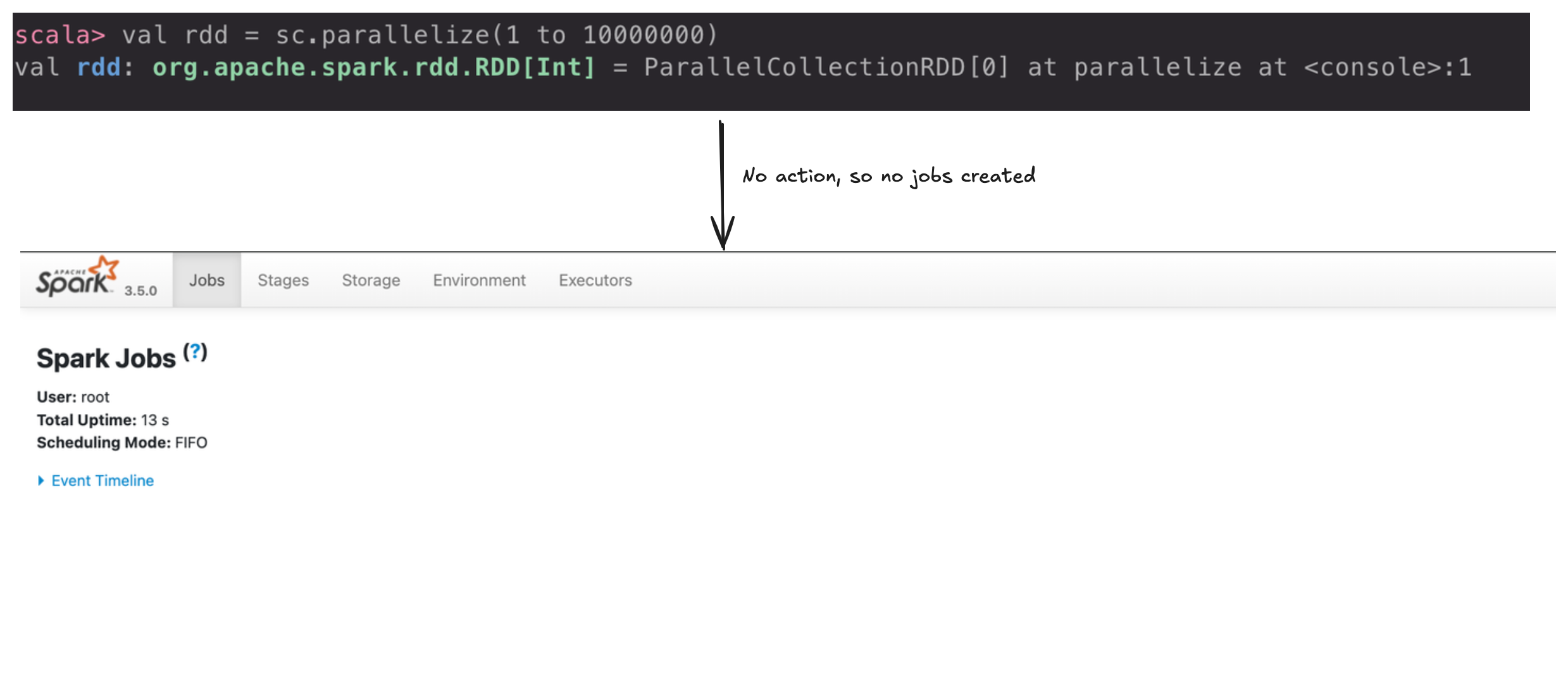
When an action is called on a RDD/DF, a job is created.
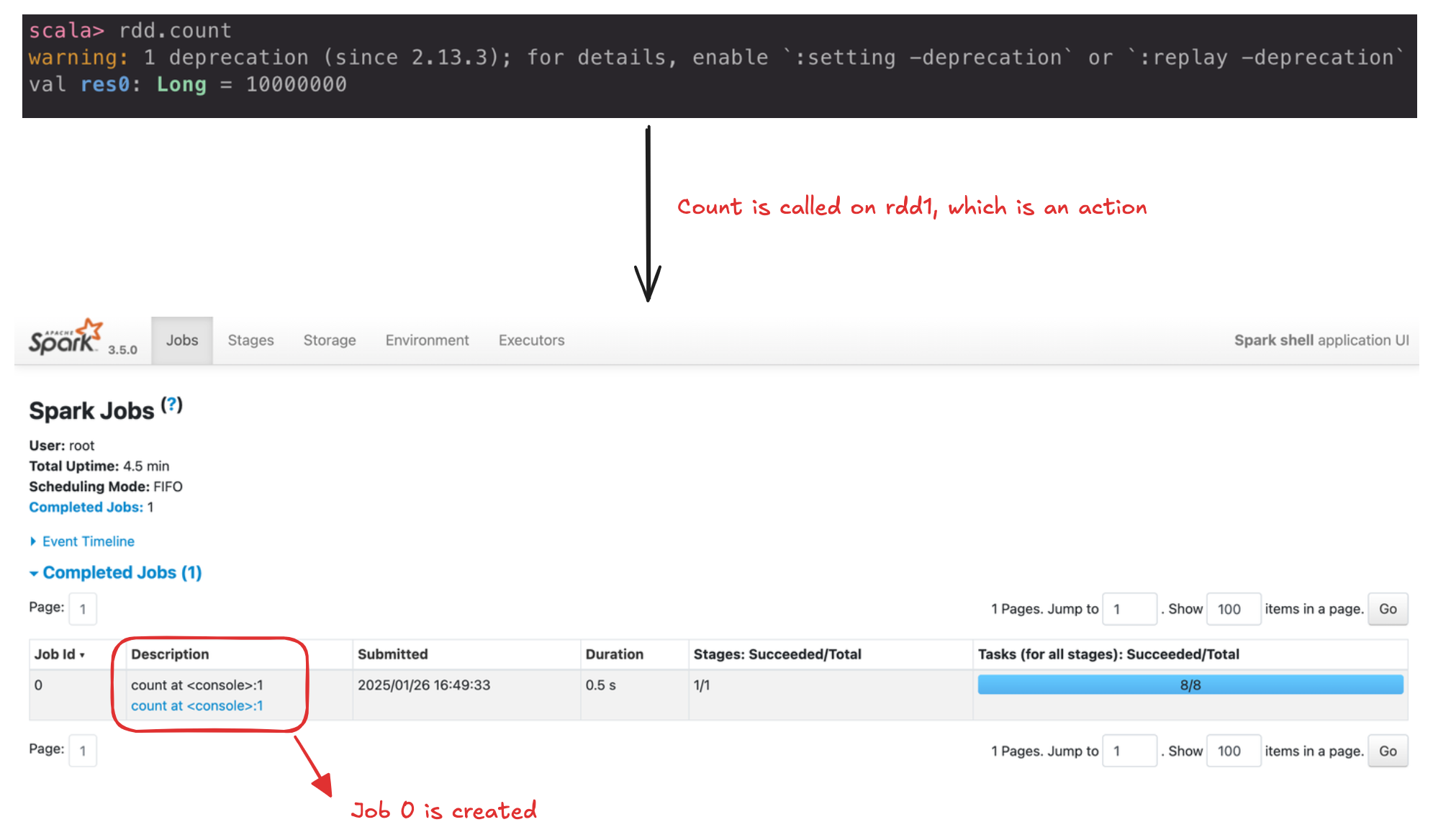
Key Features of Spark Jobs:
- Each job is composed of multiple stages.
- Spark generates one job per action.
- Jobs are independent and can run in parallel if no dependencies exist between them.
Stages
A stage is a group of tasks that Spark can run together to perform the same operation across multiple machines. While Spark tries to include as much work as possible in one stage, it creates a new stage whenever there’s a shuffle operation.
A shuffle happens when
For example:
Sorting a DataFrame, or grouping data that was loaded from a file by key (which requires sending records with the same key to the same node).
This type of repartitioning requires coordinating across executors to move data around. Spark starts a new stage after each shuffle, and keeps track of what order the stages must run in to compute the final result
scala> val df1 = spark.range(2, 10000000, 2)
val df1: org.apache.spark.sql.Dataset[Long] = [id: bigint]

scala> val step1 = df1.repartition(5)
val step1: org.apache.spark.sql.Dataset[Long] = [id: bigint]

scala> step1.count()
val res0: Long = 4999999
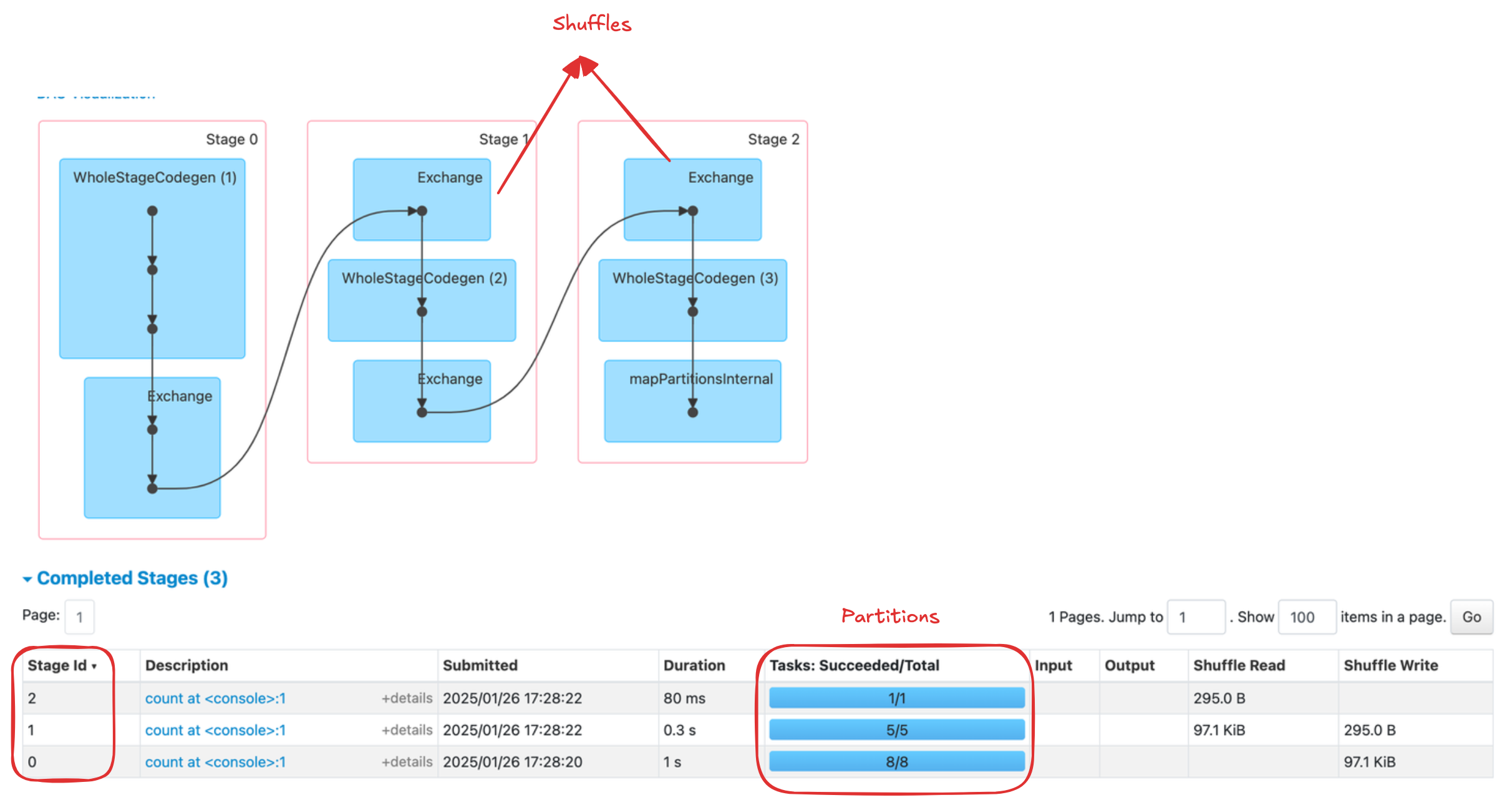
In the above example:
- The the 1st stage (stage-0) correspond to the
rangethat you perform in order to create your DataFrames. By default when you create a DataFrame with range, it has8 partitions. - The next stage (stage-1) is the
repartitioning. This changes the number of partitions by shuffling the data. These DataFrames are shuffled into5 partitions. - The final stage (stage-2) is the
count action. This is the final stage that is executed.
val df1 = spark.range(2, 10000000, 2)
val df2 = spark.range(2, 10000000, 4)
val step1 = df1.repartition(5)
val step12 = df2.repartition(6)
val step2 = step1.selectExpr("id * 5 as id")
val step3 = step2.join(step12, ["id"])
val step4 = step3.selectExpr("sum(id)")

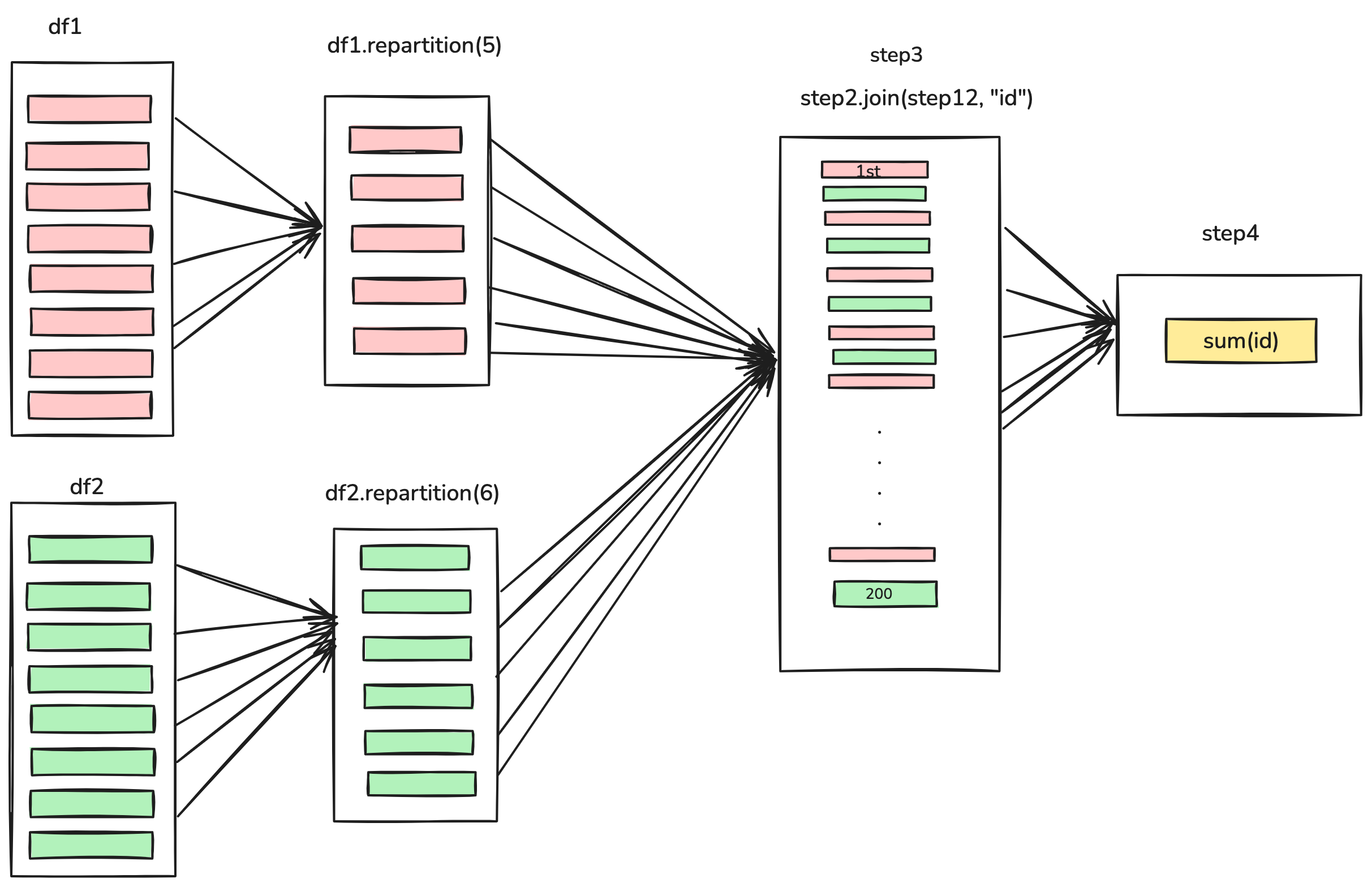
- Stages 3 and 4 perform on each of those DataFrames and the end of the stage represents the join (a shuffle).
- Suddenly, why we have 200 tasks? This is because of a Spark SQL configuration. The
spark.sql.shuffle.partitionsdefault value is 200, which means that when there is a shuffle performed during execution, it outputs 200 shuffle partitions by default. However you can change this value, and the number of output partitions will change.
Tasks
A task is just a
Partitioning your data into a greatest number of partitions means that more can be executed in parallel.
Summary
Easy way to remember how Spark organizes work:
| Topic | Key Points |
|---|---|
| App Decomposition | - 1 Spark Application can have 1 or more Jobs. - Each Job is broken into 1 or more Stages. |
| Stages & Tasks | - Each Stage is subdivided into Tasks. - Shuffle boundaries (data rearrangements) define when Spark moves from one Stage to the next. |
| Tasks & Executors | - One Task runs on one Executor (it can’t move mid-task). - An Executor can run multiple Tasks (depending on its available cores). |
| Partitions & Tasks | - Processing one partition = one Task. - The number of Tasks in a Stage often equals the number of partitions for that data. |
| Partitions & Executors | - A partition stays on one Executor while it’s being processed. - Each Executor can hold 0 or more partitions in memory or on disk. |
| Executors & Nodes | - 1 Executor corresponds to 1 JVM running on 1 physical/virtual Node. - Each Node can host 0 or more Executors. |
Use this table as a handy to keep the Spark “big picture” in mind:
- Spark Applications → Jobs → Stages → Tasks.
- A Task processes a Partition.
- Executors (JVMs) on cluster Nodes do the actual work.
References
I hope you enjoyed reading this blog, if you are interested in learning other topics related to Apache Spark, feel free to check Apache Spark series.
If you have any questions or feedback, feel free to reach out to me.